
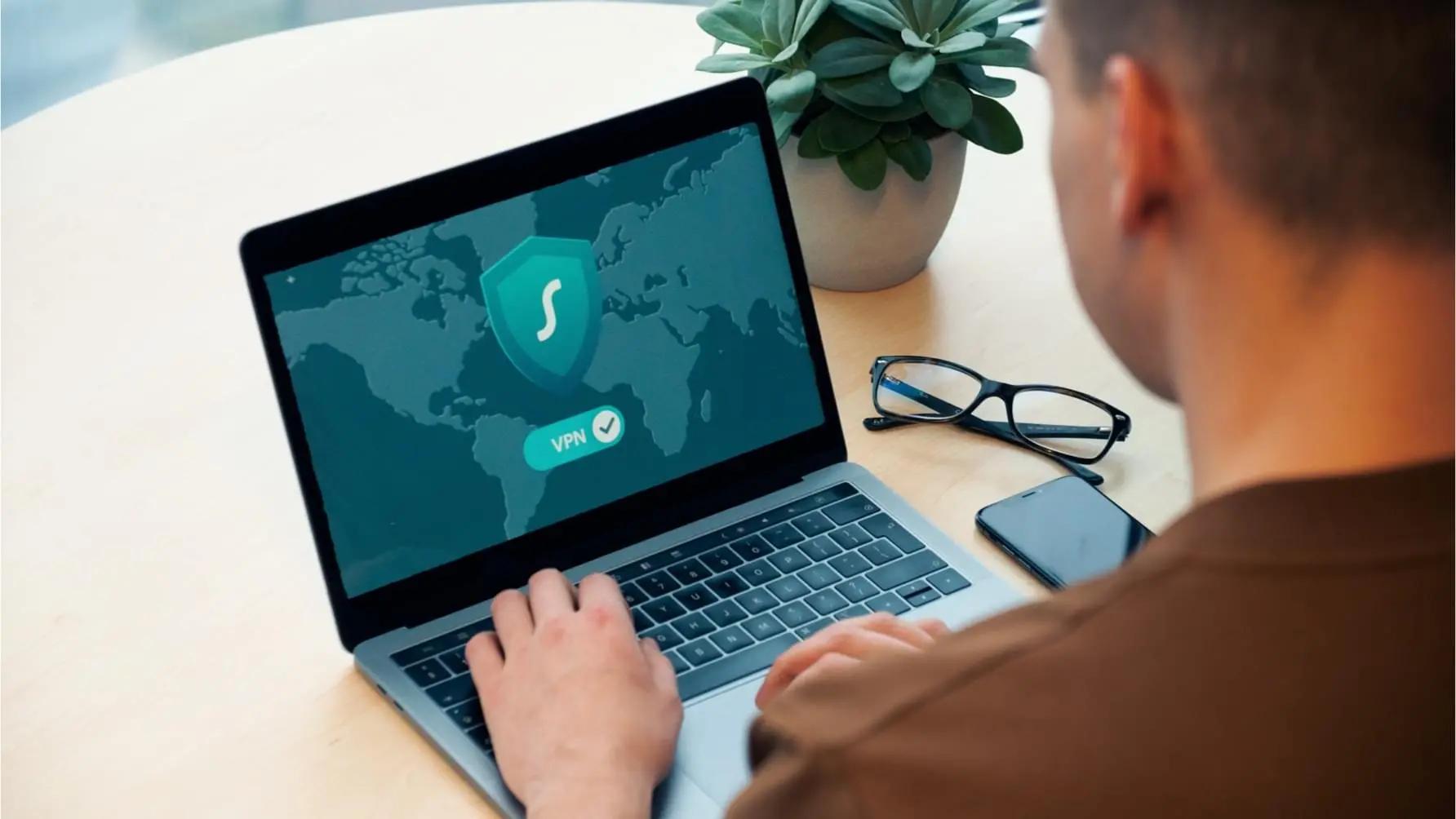
The internet is ubiquitous and offers solutions to almost every need, from global communication to innovative ways to generate revenue. However, despite its positive aspects, the internet can be a dangerous place without proper protection in place.
Filtering out malicious or inappropriate content is crucial for maintaining security, protecting privacy, and safeguarding minors and employees. As the internet becomes more accessible and familiar to everyone, especially the young, the need for a filtering mechanism has become essential.
What is Internet Filtering?
Internet filtering is the process of controlling what online content can be accessed on an internet-enabled device. It is typically carried out using Internet Filters, software tools that block or allow specific types of information. These filters can be built into firewalls, installed on individual devices, applied at the router level, or added as supplemental tools. Their purpose is to regulate access to online material based on policies or preferences, such as blocking harmful, inappropriate, or distracting content.
Did You Know?
of businesses experience DNS attacks each year
estimated costs of a DNS attack
malicious websites are created every day
of websites tested by Google for malware were infected
Why is Internet Filtering Important?
Internet filtering, also known as content filtering, is important because it helps improve productivity and reduce cyber risks. By blocking access to inappropriate, distracting, or malicious websites, filtering solutions protect users such as employees and students from threats like phishing and malware. Since many cyberattacks originate from harmful sites, internet filtering plays a critical role in preventing accidental infections, data breaches, and other security incidents. Key benefits of using an internet filter include:
Prevention of Data Leakage
Data privacy is upheld by regulations, such as the EU’s GDPR. Good privacy practices are also an indicator of good customer care. Additionally, confidential information is a target for cybercriminals seeking to sell corporate and sensitive data on the dark Web. A data leak can result in customer and company-sensitive information being sold to the highest bidder on the dark web.
Internet filtering restricts access to malicious websites. Employees will be unable to navigate to malicious or phishing websites, thereby preventing data leaks and potential security breaches.
Can Internet Filtering help Increase Productivity and Efficiency?
Yes, an Internet Filter allows businesses to block access to sites not relevant to their business. Among these websites are social media platforms, entertainment websites, and other channels that disseminate inappropriate content.The internet offers a wealth of exciting, insightful, educational, and entertaining content. However, some of this content can be detrimental, leading employees down a rabbit hole of social media and inappropriate content, ultimately reducing productivity. A survey found that 89% of the employees admitted to wasting 30 minutes daily on non-work-related internet content. Approximately 16% of employees wasted two hours a day browsing non-work-related websites and social media.
A company that uses an Internet Filter restricts its employees to work-related channels on the network, which encourages them to focus on work goals.
Does Internet Filtering Impact Security?
Yes, internet filtering has a significant impact on security. Data theft remains a major challenge for organizations, and while security awareness training helps employees recognize risky behavior, proactive defenses are also essential. Internet filters play a key role in this layered security approach by blocking access to malicious or suspicious websites before harm can occur.
Cybercriminals often use malicious websites to deliver exploit kits that scan for application vulnerabilities and install malware when a user clicks a dangerous link. Traditional antivirus tools react after a threat appears, but internet filtering is proactive, it prevents users from reaching harmful sites in the first place. Modern filters may also incorporate machine learning to detect emerging and zero-day threats.
Beyond blocking malware, internet filters are effective against phishing attempts. They can prevent access to fraudulent sites accessed through business and personal email accounts, which attackers frequently exploit. In this way, internet filtering provides a strong first line of defense and significantly enhances overall security.
Facts About Internet Filtering You Should Know
Here are some facts about Internet filtering:
- Some internet filters are designed to record information about internet usage. These filters can be as detailed as recording the time, date, sites visited, and the machine used. Audit trails, such as these, can help a company analyze incidents and improve security.
- There are different categories of Internet filters. The most common are client-side filters and server-based filters. A Client-side filter can be installed and used by an individual. They are usually restricted to just one internet-enabled device. Server-based filters use a server-based filter firewall, which is installed and controlled by a system administrator.
- A server-side filter relays all information to the administrator. Some solutions may provide a photo of the person accessing sites restricted on the network.
- Advanced internet filtering utilizes machine learning to augment conventional filtering methods, such as blocklists. The machine learning continually learns to predict emerging threats using millions of instances of threat data.
Different Types of Internet Filters
The various types of internet filters have distinct functionalities. Ideally, you should consult a cybersecurity expert for advice on selecting the best option for your company.
Browser-Based Internet Filters
Browse-based internet filters are one of the most common types. They include add-ons for browsers, extensions, and even offer standalone applications.
An example is Blocksi, a program designed for Chrome and Firefox, which restricts access to sites via the browser. The "Kardashian Filter" is another browser-based filter that specifically blocks users from viewing content related to the Kardashian family.
Although browser-based filters are often highly specific, they can be easy to use. However, users can easily switch to another browser to bypass the restrictions.
Filters for Search Engines
Search engine filters remove restricted content when users search for it using a specified search engine.
Search engine filters are familiar and easy to use, and most search engines come pre-installed with one, called "SafeSearch."
However, no administrator privileges are needed to turn the filter off. Additionally, a user can bypass the filter if they know the URL of the website by directly typing the domain into the address bar.
Network-based Filters
Network-based filters are Internet filters that are typically installed at the application or transport layer of a network.
Network-based internet filters are typically deployed by large organizations to control the IP addresses of the systems in their network. The filter operates as a web proxy or in the transport layer to control network activities. They usually guard incoming and outgoing network requests.
Other types of Internet Filters include:
- Client-side filters: Installed directly in a user’s device and work via the browser.
- Server-side filters: Centralized control of internet filtering, may be used as an additional layer with a client-side filter.
How Internet Content Filters Work
Advanced Internet content filters use multiple layers of mechanisms to block access to unsafe, inappropriate, and productivity-draining websites. When an Internet user requests to visit a website - either by typing in its URL or by clicking on a link - the filter checks the request against its parameters to determine whether the request should be allowed or denied.
- The first tier of the mechanism to filter Internet content is a blocklist. This is a list of all websites known to house malware, have exploited vulnerabilities, or conceal their true identity behind a proxy server. Blocklists are typically updated in real-time by the filtering service provider.
- The second tier of the mechanism for filtering Internet content includes category filters. System administrators select which categories to block access to via a browser-based administration panel. Categories typically selected include gambling, social media, and online shopping.
- The third tier of the mechanism for filtering Internet content includes keyword filters. Again, system administrators have the option to choose which keywords to block, allowing them to fine-tune their category filters. It is also possible to block the download of specific file types using keyword filters.
- The third tier is used to fine-tune the category filters by allowing system administrators to block Internet access to websites containing specific keywords or phrases. This tier can also be used to prevent users from downloading files with the extensions most often associated with malware (.exe, .rar, .scr, etc.).
- Advanced internet content filters utilize machine learning, trained on millions of threat data points. The use of machine learning ensures that the filter is proactive and can prevent emerging and zero-day threats that conventional layers of protection may miss.
Between them, these technology layers provide internet filtering that meets the needs of most organizations. The settings can be granular and applied on a per-user-group basis for increased flexibility. Settings can be applied on a time basis, for example, if an organization wants to restrict personal Internet use during working hours but is happy to relax the controls during lunch breaks and after work.
TitanHQ’s Solution to Restrict Internet Access
WebTitan is TitanHQ’s answer to advanced AI-powered internet filtering. WebTitan Internet filtering has been designed with ease of use at the forefront of its development; complex Internet site blockers can be challenging to configure and use correctly, resulting in ineffective filtering. WebTitan eradicates this challenge and provides exceptional, AI-powered Internet filtering.
WebTitan Cloud
WebTitan Cloud offers the same ease of use and flexibility as WebTitan Gateway. However, instead of the filtering process taking place onsite, it takes place in the cloud. Cloud-based internet filtering has the advantage of releasing resources on companies´ CPUs for other operations. WebTitan Cloud can be deployed within minutes by simply redirecting the DNS server settings.
WebTitan Cloud for Wi-Fi
WebTitan Cloud for WiFi has been specifically designed for companies with BYOD policies or those who provide a Wi-Fi service to the public. WebTitan Cloud for Wi-Fi is compatible with all types of wireless networks, regardless of whether they operate via a single router or a network of Wi-Fi hotspots. This broad coverage has the advantage of protecting networks from users connecting to them using malware-infected devices.
Try a WebTitan Internet Site Blocker for Free
Are you concerned about the increasing number of worldwide cyberattacks? Would you like to protect your network against online threats?
We invite you to contact us to request a free trial of the WebTitan Internet site blocker that best suits your needs.
Our team of experienced and friendly Sales Technicians will be happy to offer their advice about the most appropriate solution to restrict Internet access, answer any questions you have, and guide you through the process of registering for your free trial and deploying the best Internet site blocker.
It can be almost impossible to predict when a cyberattack will happen. So, do not delay in protecting your network with an Internet site blocker from TitanHQ, and experience the positive benefits of improving workplace productivity, preventing phishing and malware, and keeping users safe from offensive online material.
The Different Architectures Used to Filter Internet Content
The term “architectures” refers to the different ways in which Internet content is filtered. There are four different types of internet filter architectures:
- Client-based
- Server-based
- Gateway-based
- Cloud-based.
Client-based Internet content filters can be hardware or software filters that are installed on individual devices. They are popular due to their low initial costs, but have a high maintenance overhead, as each filter must be configured, updated, and managed.
Server-based Internet content filters control access to the Internet for everybody receiving a web service through the same server. Although easier to manage than individual devices, they require hardware purchases and on-premises installation of the software.
Gateway-based Internet content filters are software applications that are installed behind an organization´s firewall. Generally, these types of filters are enterprise-grade tools, favoured by larger organizations looking to avoid significant hardware costs.
Cloud-based Internet content filters use neither hardware nor software. Cloud-based solutions filter Internet content, centrally, via an on-site service that can be accessed with a simple adjustment of the organization´s DNS. These solutions are universally compatible and infinitely scalable, making them suitable for organizations of all sizes.
What is the Best Internet Filtering tool?
There is no single “best” internet filtering tool for every situation. The right solution depends on your organisation’s size, security needs, budget, and technical environment. However, several tools are consistently rated as strong options, and choosing among them usually comes down to which one best fits your specific requirements.
Learn More about Internet Filtering
Internet filtering is essential to responsible and safe internet use. As such, an internet filter is a valuable tool for controlling activities in the home and workplace. To learn more about using internet filters, especially how to use and program them, enlist the help of a cybersecurity company. Specialists will help identify the pros and cons of using an internet filter for your specific business, as well as guide on selecting the right one for your organization’s unique needs.

Geraldine Hunt
- DNS Filtering
Internet Filtering FAQs
Cloud-based solutions for controlling Internet access are implemented by changing your DNS server settings to point to a service provider´s DNS servers.
For WebTitan DNS Filtering clients, once set up, administrators access the web-based portal and set parameters depending on the organisation requirements. This may differ from businesses, schools, or organisations.
WebTitan acts as the first line of defense against malware and ransomware through the advanced threat intelligence database.
WebTitan identifies 100,000 new malicious websites in real time everyday. It checks every request against the database and security software is used to ensure webpages are safe to visit.
The best way to control interest access is by using WebTitan Cloud DNS Filter. WebTitan Cloud has 53 different categories (abortion, adult entertainment, alternative beliefs, alcohol, etc.), into which six billion web pages have been sorted according to the nature of their content.
System administrators can control Internet access to any of these categories with the click of a mouse.
Click to block the category and any attempt to visit a website that is not permitted will see the user directed to a local block page that explains why the content cannot be viewed.
WebTitan’s simple migration process allows organizations to set up and start using the internet filtering solution in less than one hour.
By integrating with directory tools such as LDAP or Azure Active Directory, the process is accelerated significantly
Internet filtering in schools has become a crucial task of schools' IT departments due to the introduction of CIPA Compliance for e-Rate funding. CIPA (Children’s Internet Protection Act ) is a federal law enacted by Congress to address concerns around access to offensive content on the Internet on school and library computers.
CIPA imposes certain requirements on any school or library receiving E-Rate funding for Internet access or internal connections. E-Rate funding makes certain communications technology more affordable for eligible schools and libraries.
In early 2001, the FCC issued rules for CIPA compliance and Congress enacted additional protections for children using the Internet. WebTitan supports schools' CIPA compliance. Learn more about WebTitan’s dedication to CIPA compliance
WebTitan provides internet filtering for students and children, whether they are in the classroom or learning from home, thanks to the remote roaming agent (WebTitan OTG), that enforces user policies whether they are on or off the network.
WebTitan’s roaming agent is available for easy installation for Windows, Macs, iOS and Chromebooks.
WebTitan DNS Filtering deployed to two K-9 schools has provided instant protection for 2500 students from pornographic sites.
700 million URLs crawled daily providing crowd-sourced categorization and threat protection.
200 languages covered
5 trillion search queries examined monthly
3 million malicious URLs and phishing sites blocked at any one time
100,000 new malicious and phishing site entries daily
1,500,000 DNS requests per day
300,000 malicious URLs revisited every single day
100% coverage of the Top 1 Million most visited websites
99% coverage and accuracy of the entire active web, the industry leader.
53 Unique Content Categories
200,000 queries per second/per instance
5 microseconds for database lookups
1 Vital DNS Security Layer
Talk to our Team today
