Trusted by the best




Benefits of ArcTitan Email Archiving
MSP Success Stories
Check out the latest testimonial videos from our MSP Partners.
Hear From Our MSPs
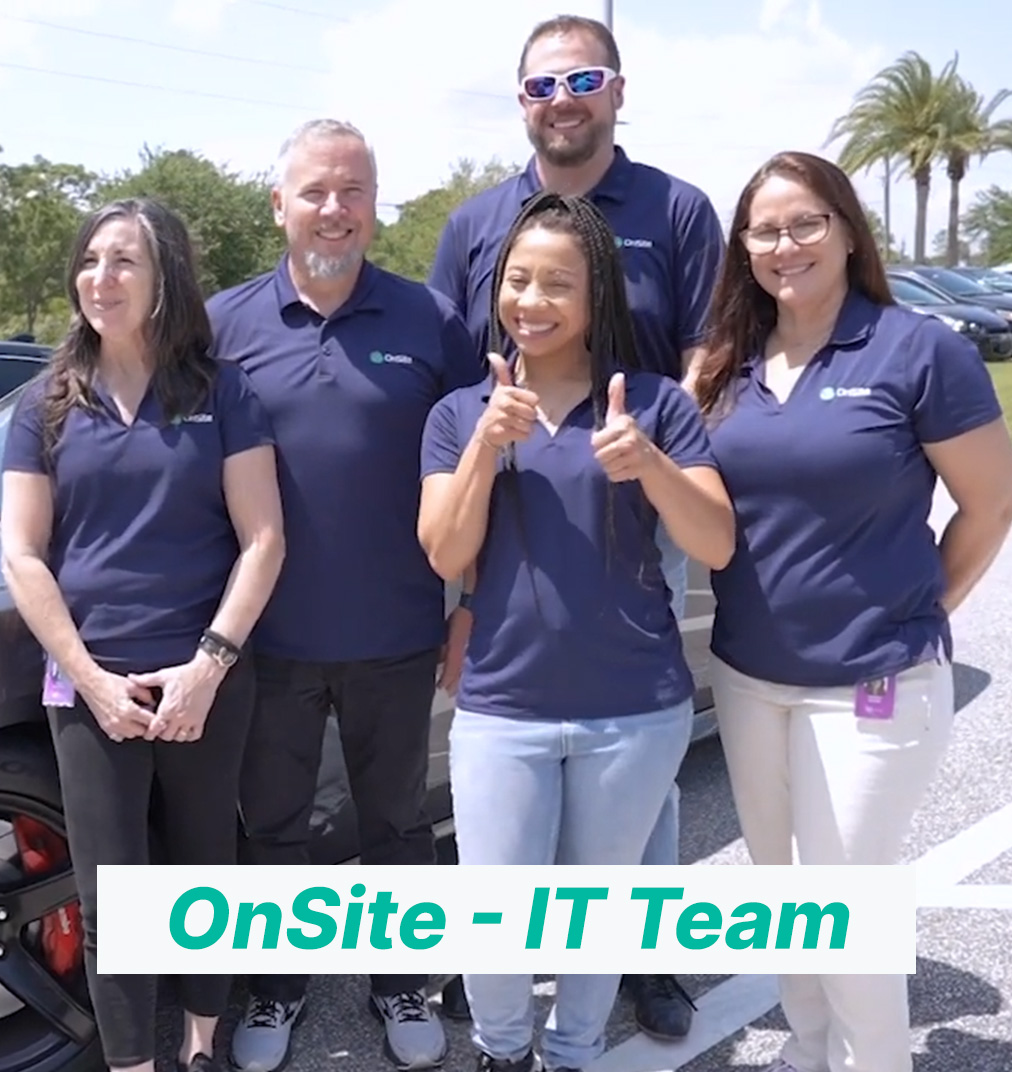
Discover what OnSite has to say about ArcTitan as part of their TitanHQ solution suite.
Customer Testimonials
Watch all of our video testimonials from MSP partners and see how TitanHQ has been instrumental in their success!
TitanHQ is now part of CyberSentriq
One platform for MSPs to secure and manage Microsoft 365, reducing risk, complexity, and improving margin.
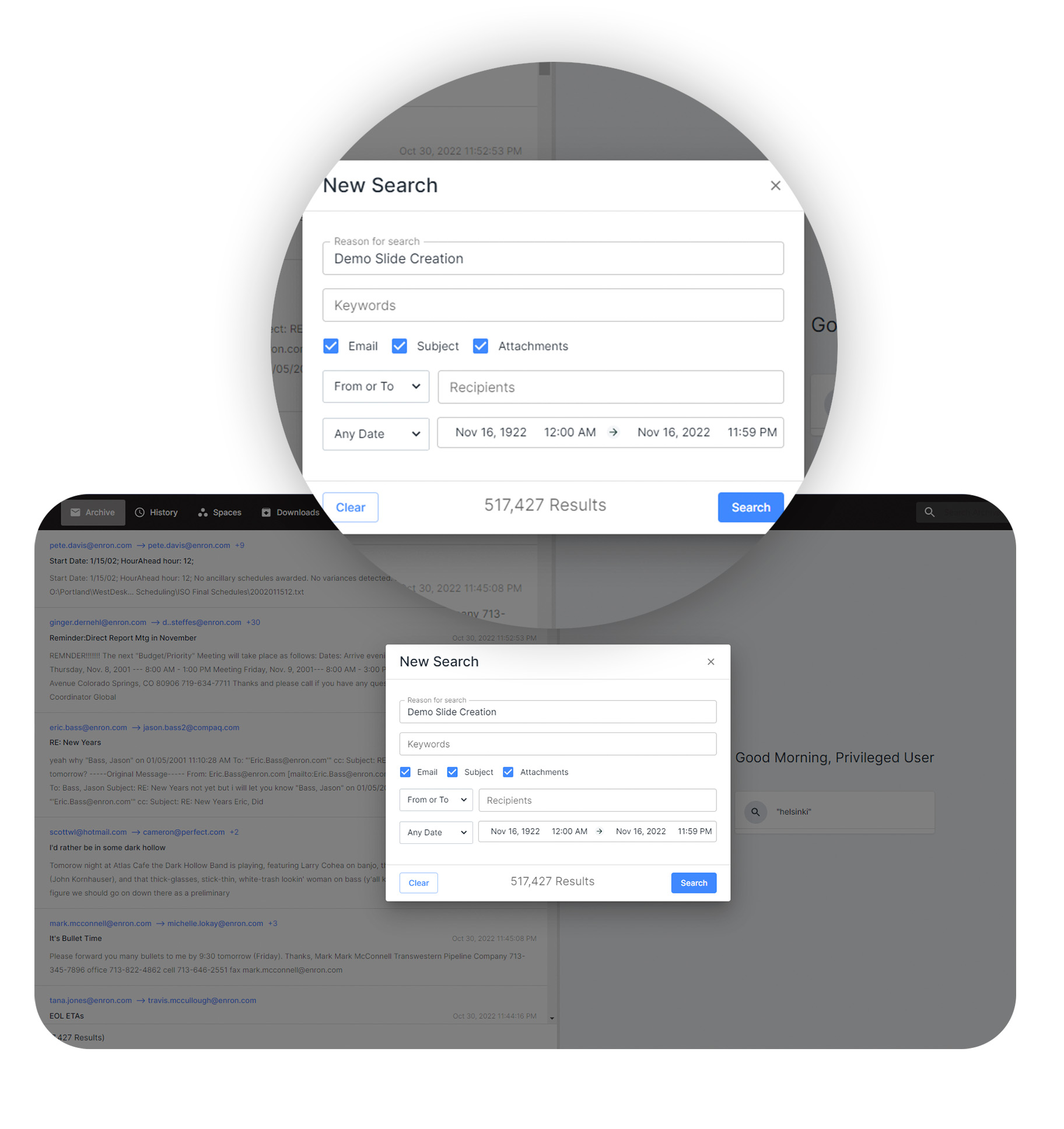
Lightening Fast Search & Retrieval
ArcTitan automates archiving with rapid search; emails can be retrieved instantly. Multiple searches can be performed simultaneously.
Optimal Load Performance
Handles over 200 emails per second from the server.
Reduce Storage Costs
Cuts costs of storing historical data volumes.
Remote Access to Archived Emails
Accessible anytime, anywhere, with unlimited users and storage. Ensures 100% protection and backup against data loss.
Flexibility & Convenience
Access archived emails remotely, boosting productivity.
Disaster Recovery
Remote access ensures email retrieval for continuity.
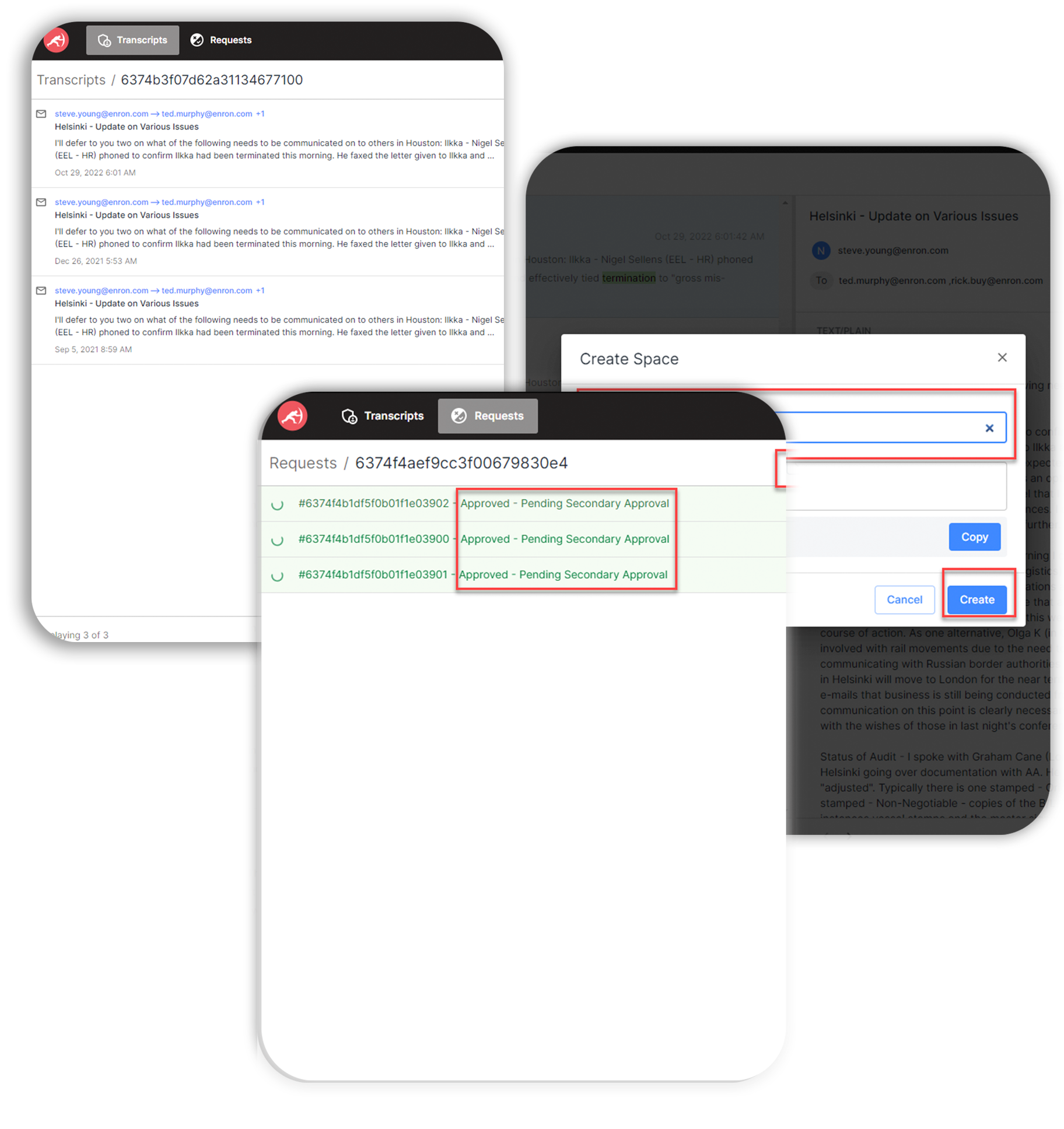
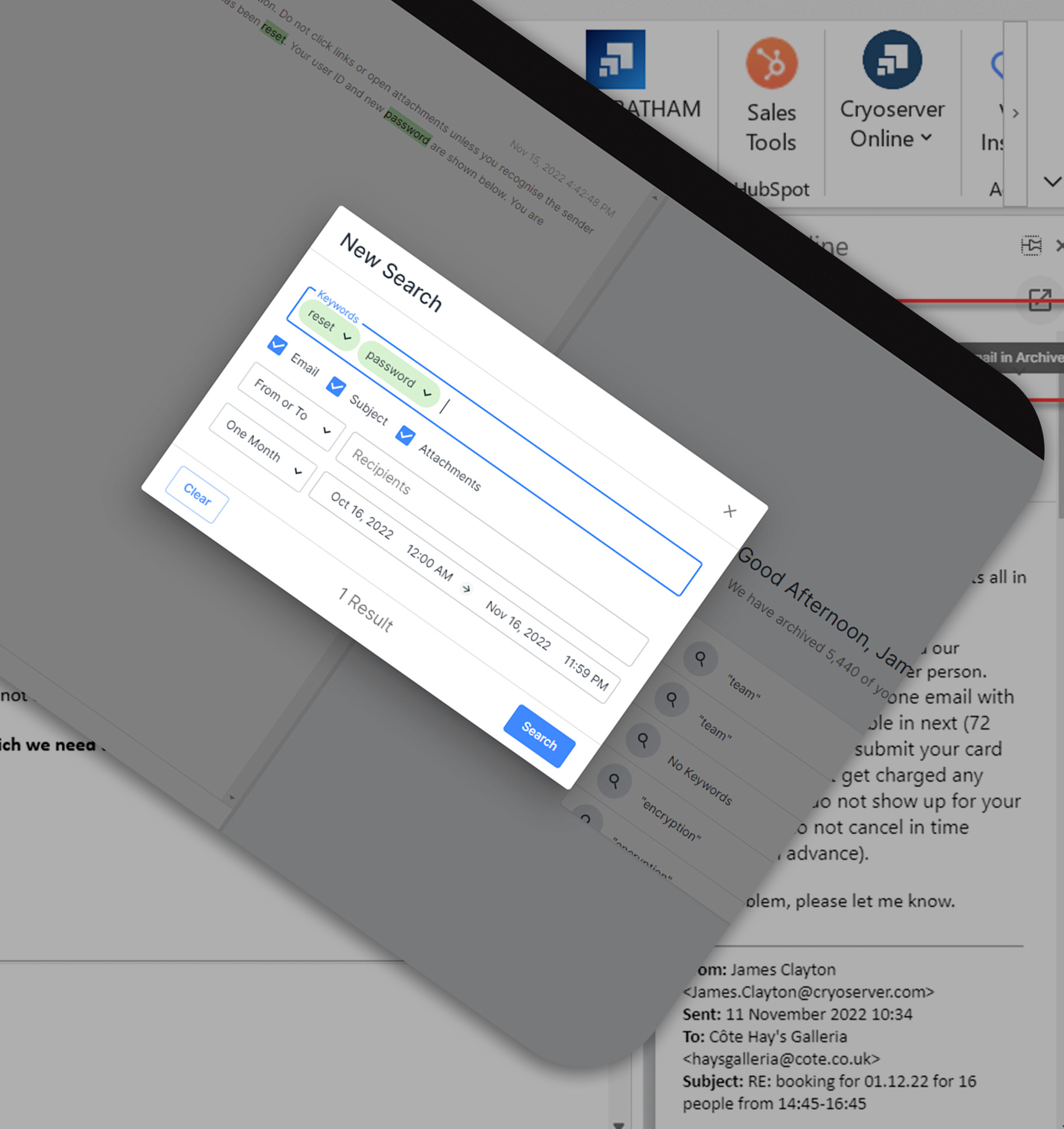
eDiscovery
Retrieve email for legal and compliance purposes, involving searching, reviewing, and producing emails to meet legal requests.
Legal Compliance
Maintains searchable email records for compliance.
Support for Litigation Strategy
Aids legal strategy with email insights.
Compliant Archiving Solution
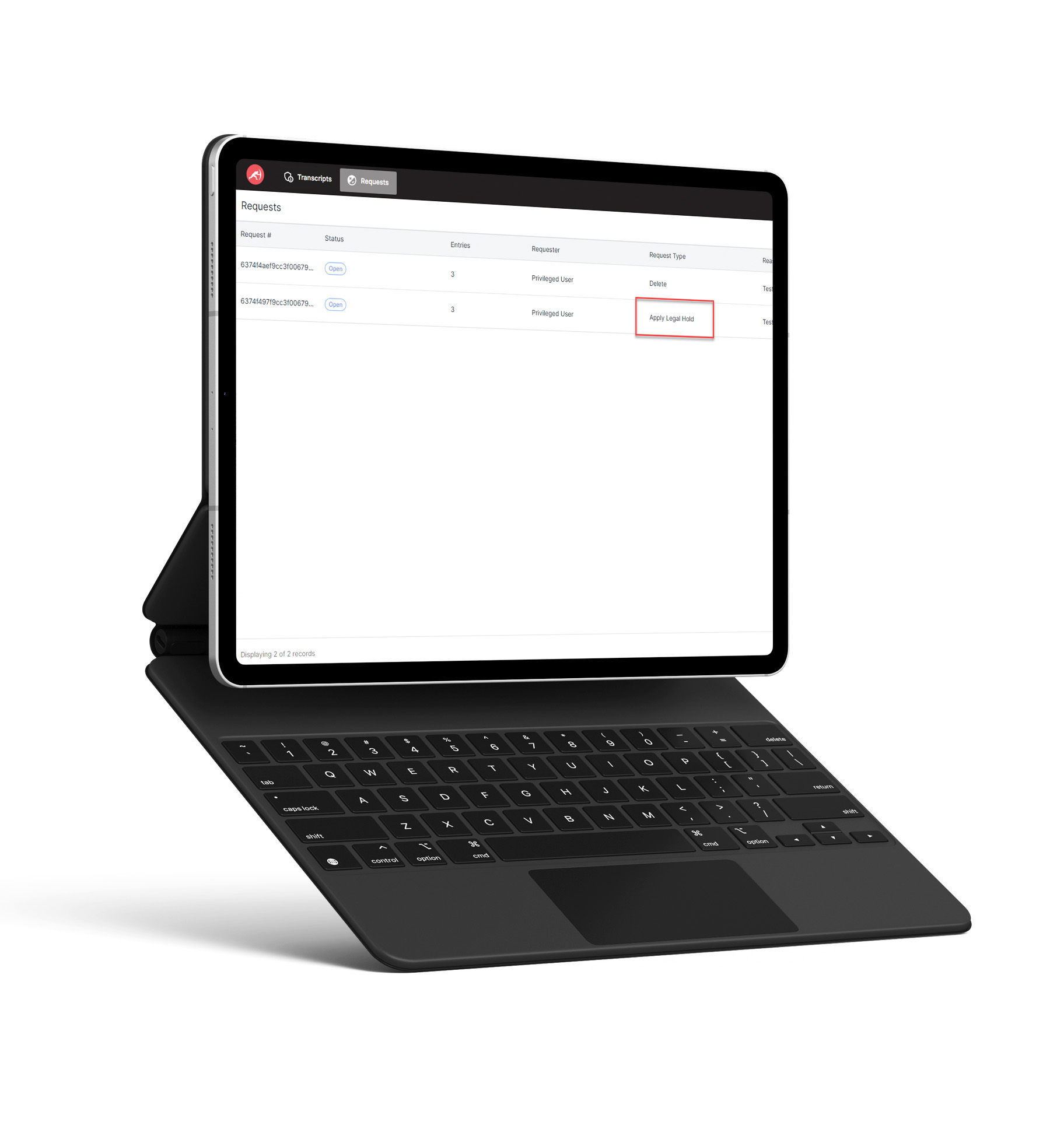
ArcTitan offers secure right-to-be-forgotten functionality to comply with HIPAA, SOX, SEC, FINRA, and GDPR regulations.
Privileged and Delete User Feature
Enables compliance with 'Right to be Forgotten'.
Reduces Unauthorized Data Exposure
Prevent unauthorized access or disclosure.
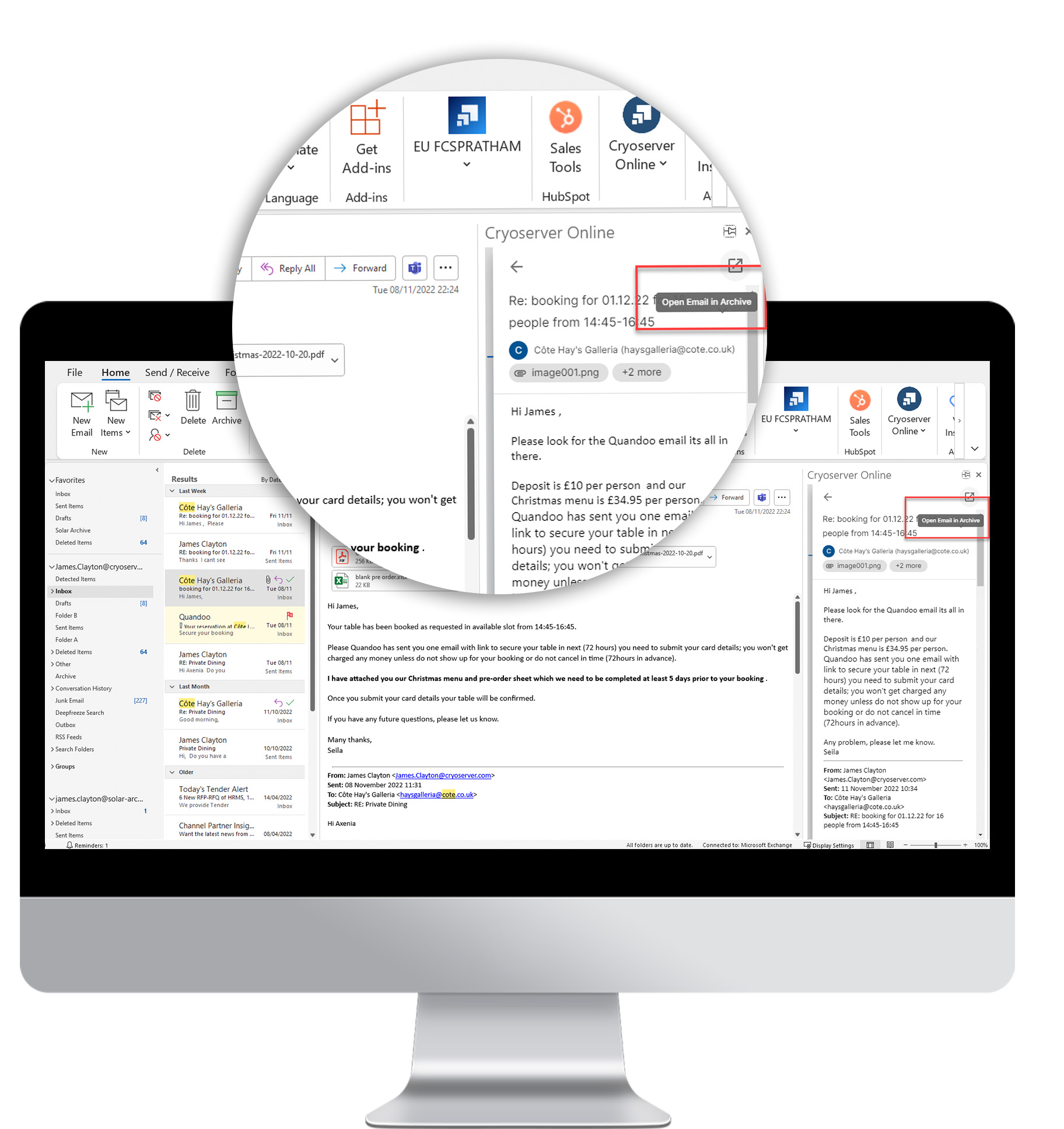
Email Archiving for Office 365
Safely archives emails and attachments in Office 365, ensuring compliance, simplifying e-discovery, and facilitating user access for legal or reference needs.
Offload Email Storage to the Cloud
Unlimited archiving for all mail, attachments and folders.
Access Emails from Anywhere, Anytime.
Retrieve archived data anywhere, on any device.
Did You Know?
search limits with ArcTitan
saving on email storage space
item export limit
emails sent and received daily by 2026
Exchange Online Archiving vs. ArcTitan
This eBook provides a comprehensive deep dive into various elements of email archiving, highlighting the importance of implementing an effective archiving solution. While Exchange Online provides some archiving capabilities, it has its pitfalls.
Top 5 Business Email Archiving Misconceptions Exposed!
Peel back the layers of misinformation to uncover the truth about business email archiving. This guide debunks the top 5 myths that often cloud the conversation, empowering you to take control of your data, ensure compliance, and streamline access.
Email Archiving for MSPs
With ArcTitan, MSPs can easily manage the email environments of a diverse range of customers from a single, centralized administration console. Outside of all of the benefits email archiving adds for your customers, discover why MSPs should add ArcTitan to their product portfolio.



Frequently Asked Questions (FAQs)
Email archiving is a software which can preserve emails in a format which can be stored digitally and retrieved later on if needed. It is a great way to retrieve important emails you may need to reference in the future.
ArcTitan is a leading cloud based email archiving solutions that offers a secure and easy way to manage corporate emails to ensure compliance, security & privacy for all users whether on site or remote. Every email is given a unique identity which remains with it for its entire life in the archive and fully indexed.
Because many organizations need to keep their emails for several years to meet regulations, good practice & corporate governance standards, email archiving is essential. As email usage continues to grow, a cloud email archive provides infinite scalability.
ArcTitan email archiving allows you to offer your customers email archiving as-a-service to keep their business email data safe & secure in a tamper-proof email archive. ArcTitan is a fast & secure cloud based email archiving solution, with encrypted email transfer and IL5 certified cloud storage, & rapid searches & email data retrieval.
ArcTitan is a cloud-based email archiving solution that is Microsoft 365 integrated and automated with lightening fast email search speeds. The easy-to-use solution allows financial services to meet the highly regulated compliance laws in the event of an audit trail in the event of litigation.
ArcTitan employs advanced technology to ensure lightning-fast email search speeds. This means that users can quickly navigate through emails in the cloud-based archive, improving overall time efficiency.
Yes, ArcTitan is designed to meet legal compliance obligations, including GDPR, Sarbanes-Oxley, HIPAA, and eDiscovery. It enables businesses to access customer data in the cloud-based email archive instantly and effectively when required.
Yes, ArcTitan is designed with user-friendliness in mind. It offers a straightforward setup process for both administrators and end users. Accessing and retrieving archived emails is a simple task that can be completed in seconds.
ArcTitan can significantly reduce the load on mail servers, often resulting in a reduction from 1,000 GBs to 200 GBs, saving up to 75% of email storage space.
Absolutely, ArcTitan is a cost-effective solution that can save up to 80% on storage space, resulting in substantial cost savings for organizations.
ArcTitan is GDPR compliant, allowing users to quickly find and remove a customer's data when required, helping businesses meet GDPR requirements.
ArcTitan provides full protection against data loss, ensuring that emails are safeguarded. This protects mail servers from experiencing outages and ensures continuous access to critical data.
No, ArcTitan is a cloud-based archive solution, eliminating the need for on-site hardware. It allows for unlimited email storage in a secure archiving environment, making it highly scalable.
Business email archiving provides an organization with a mechanism to capture, store, and manage emails, attachments, and calendars. Business email archive solutions provide long-term, highly configurable, discoverable, and rapidly retrievable archives. The features of a business email archiving solution facilitate regulatory compliance, ensuring the company maintains a secure and accurate record of its email communications for litigation purposes.
Business email archiving compares with other leading email archiving providers by offering a wide range of features at an affordable price. Cloud-based business email archiving solutions are fully compliant with regulations such as HIPAA, FINRA, and the GDPR. They are based on layers of robust security measures, including encryption, access control, and content integrity. An MSP can deliver cloud-based offerings as a cost-effective solution for SMBs.
When selecting a business email archive, an IT manager should look for specific key capabilities. Business email archive solutions must be highly secure, utilizing encryption and robust authentication to prevent unauthorized access during storage, retrieval, or transfer. The integration of antimalware into a business email archive is a crucial tool for preventing email-borne cyberattacks that could propagate through an archive. Business email archives should be configurable to adjust retention times to meet various regulatory requirements. Also, look for business email archives that are cloud-based SaaS solutions, as these are highly scalable and cost-effective. Some advanced business email archiving tools can significantly reduce storage needs.
Cloud email archiving tools capture and preserve emails, attachments, and calendars. Cloud archiving tools are Software-as-a-Service (SaaS) solutions that help to save up to 80% of email storage space. They are used to ensure that an organization has a copy of all emails and attachments as required for compliance with data protection laws, as well as discoverability in legal cases. Compliance with data protection laws and legal disputes requires a rapid response. Therefore, cloud email archiving tools must perform accurate and fast search and retrieval while remaining secure. Cloud email archiving solutions support all types of data, including unstructured data like emails, attachments, and messages. As such, an email archiving solution must provide security, privacy, and discoverability.
Compliance with data protection laws includes email message content and attachments. Therefore, cloud email archiving tools must be designed with regulatory compliance in mind. Compliance with various regulations, including the EU's GDPR, Sarbanes-Oxley, HIPAA, FINRA, and other regulations, is an essential aspect of email archiving. These data protection laws require that sensitive information be secure and that data privacy be respected. Augmenting the data protection laws that cover email-based data are email retention regulations. Email archiving solutions must be designed to meet the specific requirements of data security and email retention regulations. For example, the Securities and Exchange Commission (SEC) and the Financial Industry Regulatory Authority (FINRA) require covered entities to maintain an archive of all electronic communications, including email.
Cloud email archiving must integrate with existing productivity and email suites such as Office 365 and Google Workspace. Cloud email archiving integration with O365 and other email platforms allows emails and attachments to be automatically archived. Email archive automation ensures that working patterns are not interrupted and productivity is unaffected.
Compliant email archiving is used to ensure that a business maintains a secure and accurate record of its email communications. The complaint email archiving solution will typically be integrated with an email platform, such as Google Workspace or Outlook 365, so that all email communications are automatically sent to the archive. This archive is then maintained for a specified period, depending on the regulations and laws to which the company is subject.
Cloud email archiving offers several benefits that ensure a company's compliance with data protection and privacy regulations. The benefits include security, privacy, discoverability, and retention. Regulations, such as HIPAA and the EU’s GDPR, require that data, including email-based content and attachments, be transmitted and stored securely. Some regulations, such as those imposed by FINRA, require organizations to retain their email-based communications for a specified period. Cloud-based email archiving solutions must meet all the needs of data protection regulations.
Evaluation of compliant email archiving tools should involve an analysis of the features and capabilities of the solution. The following are must-haves for organizations wishing to remain compliant with data protection and privacy regulations: Security is essential, and organizations should look for solutions that offer strong, standards-based encryption during the transfer and storage of emails and attachments. Privacy rules, such as the GDPR’s “right to be forgotten,” must be upheld. This requires a compliant email archiving solution to provide rapid discoverability of email content. Retention laws require a compliant email archive to be configured to retain email content and attachments for set periods.
Email archive software is specifically designed to comply with data protection regulations and mitigate legal liability. At the same time, traditional storage or backups focus on disaster recovery. This differentiation results in design goals specific to these use cases. Email archive software is designed to provide long-term, tamper-proof storage that is secure and offers highly granular discoverability, along with advanced search capabilities that streamline retrieval and information access. Traditional backup capabilities make them ideal for disaster recovery as they create snapshots for rapid restores.
Migration to email archive software from another archiving system must be viewed as a process. However, this process can be simplified by migrating to a cloud-based email archive software system. The process typically varies depending on the organization's size and the circumstances of the migration. For example, migration of an existing email archive along with user inboxes may be required during an M&A. When considering migrating your email archive to a new archiving system, look for cloud-based solutions that can be tailored to meet your specific needs.
Email archive software should integrate easily with Office 365, Google Workspace, or other email platforms. Integration facilitates archive automation. Emails are automatically archived as they are sent and received. The integration with automation eliminates the risk of human error, enabling the organization to remain compliant and maintain an accurate record of email communications in the event of litigation.
Email archiving benefits an organization by keeping an accurate, secure, and rapidly retrievable record of emails, attachments, and calendars. This archive of email-based data is an essential requirement for data and privacy protection regulations, as well as for discoverability in legal cases and litigation. Email archiving benefits include delivering the correct documentation and ensuring traceability for audits and investigations, facilitating e-discovery during litigation, maintaining regulatory compliance, and building a knowledge base that resides within your email communications. Email archiving benefits an organization from a security standpoint by ensuring that email records are stored securely and access is protected. Some email archiving solutions can reduce storage needs by up to 80%.
Cloud email archiving solutions offer benefits over conventional archiving. Additionally, companies may need to move to a cloud email archiving solution during an M&A or when changing vendors. To benefit from an advanced email archiving solution, an organization must plan the process to move its email content, attachments, and inboxes from one system to another. Some email archiving systems, such as cloud-based email archiving, simplify and accelerate this process. Identify email archiving tools that support multiple migration scenarios that service your business needs.
The benefits of moving to a cloud email archiving solution include long-term cost savings. Companies that transition their email archiving to the cloud reduce their spending on deployment, operations, and maintenance. Vendors and MSPs typically handle the hosting, maintenance, and overhead of running a cloud email archiving solution.
Traditional email storage solutions are designed for short- to medium-term storage, providing resilience for disaster recovery. Whereas email archiving services are cloud-hosted solutions designed to provide long-term retention of email communications, ensuring those communications are secure, privacy-enhanced, and readily discoverable. Cloud email archiving services are highly scalable and configurable, enabling companies to meet their compliance requirements effectively.
Email archiving services provide compliance and security benefits. Email archiving services are built with security in mind. The SaaS email archive uses encryption during the transfer and storage of all email communications and attachments. The email archive solution also utilizes robust authentication to ensure secure access to the email archive. Email archiving services are designed to help companies comply with regulations. This includes having a configurable retention period for email messages and attachments.
During evaluation of an email archiving services, IT managers must look for specific capabilities, including the following: Encryption during transfer and storage of emails and attachments; robust authentication for access to the email archive; exceptional reduction in storage needs; load performance and speed; rapid and accurate remote access of emails; integration with email platforms such as Outlook 365 and Google WorkSpace; eDiscoverability designed for litigation; and, compliant with regulations such as HIPPA, FINRA, and GDPR.
The EU’s General Data Protection Regulation (GDPR) is a data privacy law. The GDPR has stringent data protection and privacy clauses that affect any company subject to the regulation. GDPR email archiving can help an organization adhere to the security and privacy requirements of the regulation. GDPR email archiving is used to archive emails and attachments using secure and privacy-enhanced techniques. The archived emails can be rapidly and accurately searched and recovered. Secure email erasure must also be provided by a GDPR email archiving tool.
A GDPR email archiving solution is specifically designed to meet the requirements of the GDPR. For example, under the GDPR, a data subject has the right to request information on how their data is being processed or to require their data be deleted; the latter is known as the “right to be forgotten.” In all cases, email-based data, including attachments, is subject to the data subject requests. Non-compliance with the GDPR will result in heavy fines up to EUR 20 million or 4 percent of a company’s total global turnover. To comply with the GDPR, emails must be easily and accurately retrievable. In the case of data deletion, emails must be irretrievably erased. Email retention periods may also apply in some circumstances. A GDPR email archiving solution must be designed to meet all of the stringent data security and privacy requirements of the regulation.
A GDPR email archiving solution must be able to seamlessly integrate with an existing email platform, such as Office 365 or Google Workspace. By deeply integrating into a user’s email inbox, a GDPR email archiving solution ensures that emails and attachments are automatically archived. This removes the element of human error, reducing the likelihood of accidental non-compliance with the GDPR.
The HIPAA (Health Insurance Portability and Accountability Act) specifies that covered entities must securely back up “exact copies of electronically protected health information (PHI)” and must be able to "restore any loss of data." HIPAA-compliant email archiving software is designed to meet these specific requirements. HIPAA-compliant email archiving solutions are integrated with email platforms, such as Outlook 365 and Google Workspace, to ensure that emails are automatically archived as they are sent and received. This provides the accuracy of the email record. Secure transfer and storage of emails ensures that the archive meets HIPAA security and privacy requirements. Additionally, HIPAA-compliant email archiving is designed for fast retrieval of emails. Traditional email storage or backups are specifically built to recover email messages for disaster recovery.
HIPAA has broad coverage that includes all healthcare entities, such as healthcare providers, health insurance companies, and any business associates. All of these businesses are required to meet the protection requirements of PHI. This includes secure transfer and storage of email content and attachments.
HIPAA-compliant email archiving software offers the potential for long-term cost savings. Companies that use HIPAA-compliant email archiving should opt for cloud-hosted solutions that minimize their expenses on deployment, operations, and maintenance. Vendors and MSPs reduce costs by handling the hosting, maintenance, and overhead of running a cloud email archiving solution. Additionally, some advanced HIPAA-compliant email archiving solutions can reduce storage costs by up to 80%.
Office 365 email archiving software is designed to work seamlessly with Office 365. The email archive integrates with Office 365 to automate the transfer of emails to and from the archive. This integration ensures that human error is removed from the email archive process. Office 365 email archiving is designed to retain emails for extended periods, ensuring compliance with regulations. Traditional email storage or backups that do not integrate with Office 365 will not facilitate automation of email storage. Additionally, traditional email storage solutions are designed for disaster recovery scenarios and provide short- to medium-term storage.
Hundreds of thousands of businesses worldwide use Office 365. Any organization that uses Outlook 365 can benefit from Office 365 email archiving. Cloud-hosted Office 365 email archiving is highly scalable, making it ideal for companies of all sizes and industries. Office 365 email archiving solutions integrate with Outlook 365 to automate the email archiving process, streamlining archiving, and ensuring that work processes and productivity are not negatively impacted.
When considering a Office 365 email archiving solutions, an IT manager should consider the following capabilities: Deep and seamless integration with Office 365; Encryption during transfer and storage of emails and attachments; robust authentication to secure archive access; eliminates PST files; exceptional load performance and speed; rapid and accurate remote access of emails; eDiscoverability that is fast and configurable; and, compliant with regulations such as HIPPA, FINRA, and GDPR.
Data protection regulations, such as HIPAA and the GDPR, require that all data, including email-based data, be secure. Companies choose secure email archiving solutions to ensure that they provide enhanced and robust security measures. The security options included in a secure email archiving tool must include end-to-end encryption based on TLS and AES 256-bit encryption that secures the transfer of emails and protects the content and attachments during storage. Importantly, the authentication used to control access to the archive must be robust and secure. Authentication measures should include permission-based access controls to enforce the principle of least privilege for access to archived data. This helps reduce the likelihood of unauthorized access to the email archive.
Secure email archiving is designed to enforce multiple layers of security, ensuring that emails and attachments are protected. These security layers include the following: end-to-end encryption, robust permission-based access control, Single Sign-On (SSO), certificate management, built-in antivirus and antimalware scanning, data integrity controls, support for existing authentication frameworks in Active Directory, LDAP, Google, and iMail, and secure password management. Other leading email archiving solutions may not use multiple layers of security measures and do not enforce robust access privileges.
When selecting a secure email archiving tool, an IT manager must ensure that the solution is designed to address modern cyber threats targeting email. End-to-end standards-based encryption is a fundamental requirement. A secure email archiving solution must incorporate AI-powered antivirus and antimalware scanning as a default. Significantly, access control to the email archive must be based on robust authentication and authorization measures, such as least privilege controls and multi-factor authentication (MFA).
Get free MSP demo